Behavior
Allows for configuration of application behavior upon startup, background process behavior, notification icon display, and appearance.
- Windows
- macOS
- Linux
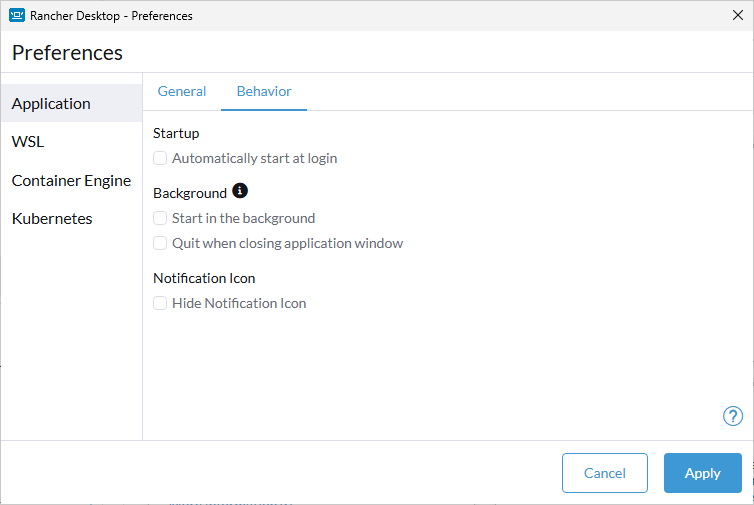
Startup
Rancher Desktop can automatically be started as part of the user login process. This will take all other behavior settings from the page into account as well.
Background
When Rancher Desktop is started in the background, it will not have an application window, nor an entry in the task switcher or task bar. The application window can still be opened via the context menu of the notification icon.
When Rancher Desktop is launched again while already running in the background then the application window is shown and the application is added to the task switcher and task bar. This can be used to gain access to the background application again when the notification icon is unavailable as well.
Rancher Desktop normally remains running in the background even when the main application window is closed (and the application therefore removed from the task switcher and task bar), but can be configured to terminate the application as well when the main window is closed.
Notification Icon
Rancher Desktop shows the application status with a notification icon. The context menu of the icon provides more status information and provides quick access to other functionality of the application. This options will disable the creation of the notification icon.
Appearance
Choose how Rancher Desktop renders its window: System (the default) follows the operating system's light or dark setting, Light always uses light mode, and Dark always uses dark mode. Earlier versions always followed the operating system.
Known Issues and Limitations
- For Ubuntu operating systems and specifically versions >= 20.04.5 LTS, there is a known issue with hiding the tray icon in the preferences settings. Please see this issue comment for further information.
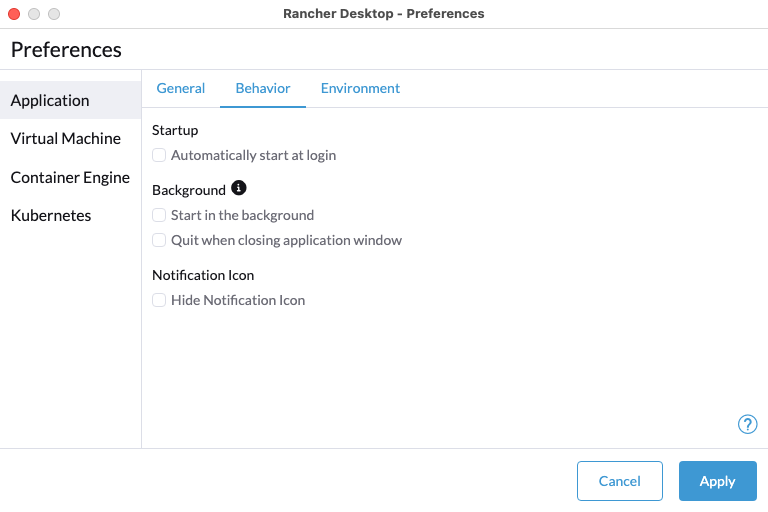
Startup
Rancher Desktop can automatically be started as part of the user login process. This will take all other behavior settings from the page into account as well.
Background
When Rancher Desktop is started in the background, it will not have an application window, nor an entry in the app switcher or the dock. The application window can still be opened via the context menu of the notification icon in the menu bar.
When Rancher Desktop is launched again while already running in the background then the application window is shown and the application is added to the app switcher and the dock. This can be used to gain access to the background application again when the notification icon is unavailable as well.
Rancher Desktop normally remains running in the background even when the main application window is closed (and the application therefore removed from the app switcher and the dock), but can be configured to terminate the application as well when the main window is closed.
Notification Icon
Rancher Desktop shows the application status with a notification icon in the menu bar. The context menu of the icon provides more status information and provides quick access to other functionality of the application. This options will disable the creation of the notification icon.
Appearance
Choose how Rancher Desktop renders its window: System (the default) follows the operating system's light or dark setting, Light always uses light mode, and Dark always uses dark mode. Earlier versions always followed the operating system.
Known Issues and Limitations
- For Ubuntu operating systems and specifically versions >= 20.04.5 LTS, there is a known issue with hiding the tray icon in the preferences settings. Please see this issue comment for further information.
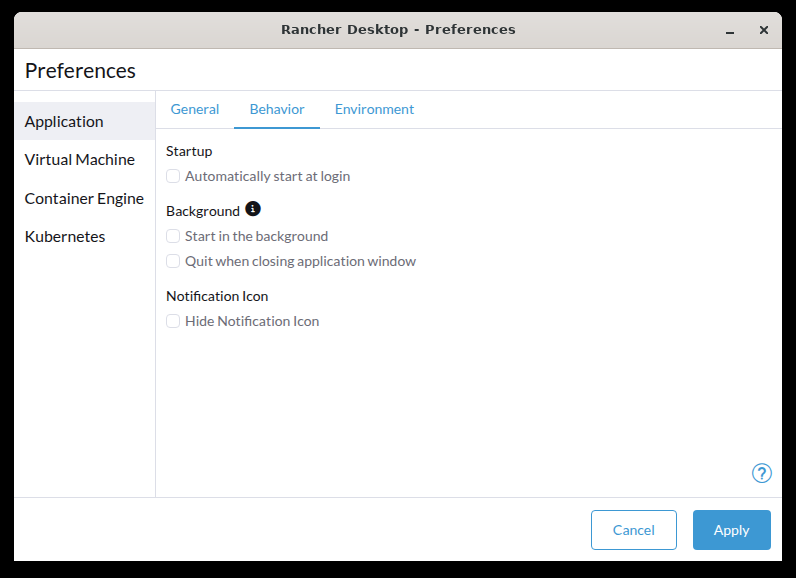
Startup
Rancher Desktop can automatically be started as part of the user login process. This will take all other behavior settings from the page into account as well.
Background
When Rancher Desktop is started in the background, it will not have an application window, nor an entry in the task switcher or task bar. The application window can still be opened via the context menu of the notification icon.
When Rancher Desktop is launched again while already running in the background then the application window is shown and the application is added to the task switcher and task bar. This can be used to gain access to the background application again when the notification icon is unavailable as well.
Rancher Desktop normally remains running in the background even when the main application window is closed (and the application therefore removed from the task switcher and task bar), but can be configured to terminate the application as well when the main window is closed.
Notification Icon
Rancher Desktop shows the application status with a notification icon. The context menu of the icon provides more status information and provides quick access to other functionality of the application. This options will disable the creation of the notification icon.
Appearance
Choose how Rancher Desktop renders its window: System (the default) follows the operating system's light or dark setting, Light always uses light mode, and Dark always uses dark mode. Earlier versions always followed the operating system.
Known Issues and Limitations
- For Ubuntu operating systems and specifically versions >= 20.04.5 LTS, there is a known issue with hiding the tray icon in the preferences settings. Please see this issue comment for further information.